
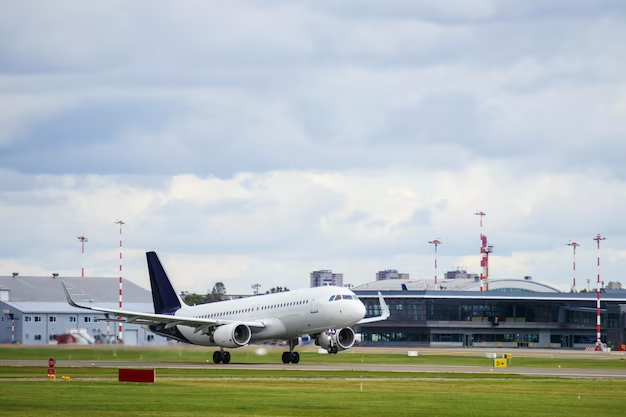
Atlanta Airport Web Cameras: How to Check Live Conditions at Hartsfield–Jackson
If you’re flying through Hartsfield–Jackson Atlanta International Airport (ATL), it’s natural to wonder if there’s a simple “Atlanta airport web camera” you can check before you go. Whether you’re trying to see current traffic, security lines, or weather on the airfield, live visuals can be useful when planning your trip.
This guide explains what kinds of cameras and live views are realistically available in the Atlanta area, what they can and cannot show, and the best ways to use them when you’re traveling through ATL.
Do Live Web Cameras Exist at Atlanta Airport?
There is no single official, public “ATL airport webcam” that lets you pan around the terminals or zoom in on specific gates.
However, Atlanta-area travelers often use a combination of tools that work like a virtual window into airport conditions:
- Traffic cameras on roads leading to ATL
- Weather and runway views from local sources or media
- Flight and security wait-time tools that give near-real-time snapshots (even if not literal cameras)
Think of it as stitching together several sources instead of relying on one “magic” airport webcam.
What You Can (and Can’t) See for ATL
Here’s a quick overview of what you can realistically monitor remotely when you’re heading to or from Atlanta’s airport:
| What You Want to See | How Realistic? | Typical Source in Atlanta |
|---|---|---|
| Traffic driving into ATL | ✅ Common | GDOT traffic cameras, traffic maps, navigation apps |
| Weather over the airport | ✅ Common | Local TV weather cams, radar maps, aviation weather tools |
| Runway or aircraft movement (far view) | ✅ Sometimes | Plane-spotter feeds, aviation-focused content |
| TSA/security lines on camera | ❌ Rare | Usually not on camera; use official wait-time estimates |
| Inside the terminal on a live webcam | ❌ Rare | Restricted due to security and privacy |
Most consumer-facing live cameras in the Atlanta area are focused on highways and interstates, not inside the airport building.
Using Traffic Cameras to See Road Conditions Around ATL
If you live in or near Atlanta, you know the drive to Hartsfield–Jackson can be unpredictable. That’s where traffic cameras become your best “webcam” option.
Key Roads Serving Atlanta Airport
ATL is accessible from:
- I-85 (north–south)
- I-285 (Perimeter)
- Camp Creek Parkway (from the west)
- North and South Terminal Parkways
- Loop Road and airport access roads
Near real-time camera views can help you see:
- Whether I-85 southbound into the airport is backed up
- If there are incidents near the airport interchange
- How heavy traffic looks near Domestic Terminal exits
Where to Look for ATL-Area Traffic Cameras
While specific links aren’t provided here, Atlanta drivers typically rely on:
- Georgia Department of Transportation (GDOT) traffic camera network
- Local or regional traffic map services that integrate public camera feeds
- Navigation apps that show live traffic overlays (even if not literal camera feeds)
These views are especially helpful if:
- You’re deciding between I-85 vs. I-285
- You’re dropping someone at the Domestic vs. International terminal
- You’re planning rush hour departures from Midtown, Buckhead, or the suburbs
Checking Weather and Airfield Views at ATL
For many travelers, “Atlanta airport web camera” really means, “Can I see what the weather looks like at ATL right now?”
How Locals Typically Do This
Instead of one official ATL webcam, Atlanta residents and visitors often rely on:
- Local TV station weather cameras near the airport
- Weather radar centered on Hartsfield–Jackson
- Aviation weather information that reflects visibility, wind, and storms in the airport area
These tools won’t usually give you a crisp zoomed-in runway shot, but they do help you:
- Verify whether storms are sitting over College Park or East Point
- See how dark the clouds look around the airport
- Get a visual sense of fog, low clouds, or heavy rain
What About Live Cameras Inside the Atlanta Airport?
Public-facing cameras inside Hartsfield–Jackson are generally not available as open web streams.
Why You Don’t See Interior ATL Webcams
Common reasons include:
- Security: TSA and airport police limit images that reveal screening areas and procedures.
- Privacy: Constant live video of passengers can raise privacy concerns.
- Crowd control: Real-time camera feeds of security lines could be misinterpreted without context.
Instead of cameras, ATL and other major airports more often provide data-based tools.
How to Check ATL Security Line & Terminal Conditions (Without Webcams)
Even without a literal webcam focused on the checkpoints, you can still get a good sense of what to expect.
Typical Tools Used for ATL
Atlanta-area travelers commonly look at:
- TSA checkpoint wait-time estimates
- Airline apps showing suggested arrival times for ATL
- Flight status tools that flag delays related to security, weather, or volume
These tools help you decide:
- Whether to arrive 2 vs. 3 hours early
- Which ATL checkpoint or terminal entrance to use (Domestic North, Domestic South, Main, etc.)
- If it’s safer to take MARTA or a rideshare to avoid parking delays
Using MARTA and Ground-Transportation Info as a “Live Conditions” Proxy
If you’re not driving, real-time transit and rideshare information can act like a dynamic snapshot of airport demand.
MARTA to Hartsfield–Jackson
MARTA Rail – Airport Station
- Located directly inside the Domestic Terminal, at the end of the Red and Gold lines
- Lets you bypass highway congestion entirely
By checking train frequency, arrival boards, or platform crowding, you indirectly see:
- How many people are heading toward or away from ATL
- How busy the airport might feel when you arrive
Rideshare and Taxi Activity
Watching estimated wait times and pickup delays in rideshare apps can also hint at:
- How congested the North and South pickup zones are
- Whether major events (conventions, games, concerts) are driving extra volume to the airport
Spotting Planes and Runway Activity Around ATL
Some people searching for “Atlanta airport web camera” want to watch airplanes, not just check conditions.
Plane-Spotting Options Near ATL
While official, public runway webcams are limited, there are ways locals and aviation enthusiasts often watch ATL operations:
- Online flight-tracking maps that show aircraft movements into and out of ATL
- Aviation content that occasionally features live views of approaches and departures
- Public viewing areas near the airport (not web cameras, but good for in-person visits)
Atlanta-area residents sometimes visit spots in College Park, Hapeville, or areas along Riverdale Road and Airport View Dr for in-person plane spotting, always respecting posted signs and local rules.
Practical Tips for Using “Webcam-Like” Tools Before Your ATL Flight
Here’s how many Atlanta travelers combine these resources to get a realistic picture of airport conditions:
Check traffic cameras & maps
- Look at I-85, I-285, and access roads for backups near airport exits.
- Adjust departure time or route accordingly.
Glance at airport-area weather
- Use local radar centered on ATL and any nearby weather cams.
- If storms are heavy between Downtown and College Park, add extra buffer time.
Verify security and flight status
- Use airline tools and TSA resources for current wait-time estimates.
- Confirm gate, terminal, and delay information before you leave home.
Decide on parking vs. transit
- If cameras and maps show heavy congestion near the Domestic Terminal, consider:
- MARTA to Airport Station
- Off-site parking with shuttle services
- Being dropped off at the International Terminal if appropriate and shuttle-connected (depending on your airline and flight).
- If cameras and maps show heavy congestion near the Domestic Terminal, consider:
Monitor conditions again just before departure
- A quick final check 15–30 minutes before leaving can catch accidents or sudden storms.
Key Takeaways for Atlanta Travelers
- There is no single, official “Atlanta airport web camera” that shows live interior terminal views or detailed runway shots for public use.
- You can still monitor real-world conditions at ATL by combining:
- Traffic cameras on I-85, I-285, and airport access roads
- Weather and radar views focused on the Hartsfield–Jackson area
- TSA and airline tools for wait times and flight status
- Transit and rideshare data as a proxy for airport crowding
- These tools together provide a practical, Atlanta-specific picture of what you’ll face when you head to or from Hartsfield–Jackson.
Using them in combination gives you most of the benefits of an “Atlanta Airport web camera,” even if you can’t pull up a single live feed of the terminals.